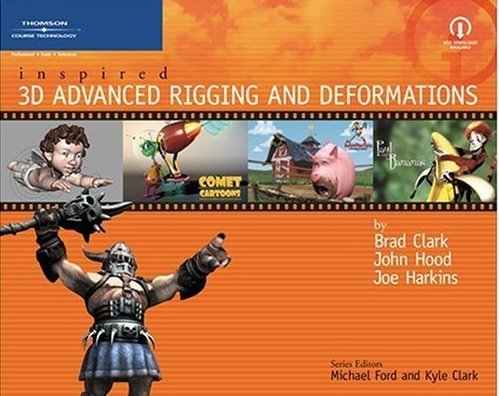
We got an email from a very dedicated reader that wrote up an excellent, detailed errata doc where he not only worked through problems he found in the book by figuring out the answer, he then wrote them all up and sent it to us!
We are looking over the errata as time permits and will post it once we check it out.
Thanks again to our readers for being true technical artists and finding solutions to problems presented in the book, even when they were not supposed to be problems:)
*A few notes about some of the information in the book on corrective shapes or Pose Space Deformations (PSD) rigging.
It has been brought up quite a bit over the years that the pose spaced deformations in the book don't work when you move the skeleton hiearchy above the blendshape.
This is correct, with out several extra tools /plugins creating a true PSD system with default Maya that works on a rigged character is not possible. The book covers a workflow for creating PSD fixes that can be blended on and off over the course of a final animation, often times called shot sculpting, this workflow allows fixes for final animation that is causing deformation problems, to be corrected in a "fix it in post" system on the skeleton rig.
A point cache/geometry cache approach to this would be to cache out the mesh and in Maya Trax and Artisan , paint sculpt fix clips that can be adjusted and blended over top of the animation in a non-destructive way to fix difficult deformation issues.
Real PSD / Corrective Shape tools-
Thanks to Michael Comet and his plugins you can get this for free in Maya, with some work.
http://www.comet-cartoons.com/maya.html
you can get the latest recomplile for Maya 2011 from DJX http://www.djx.com.au/blog/downloads/
And find a detailed how-to on using the Comet tools here http://www.tokeru.com/t/bin/view/Maya/MayaPoseDeformer
Another popular tool is http://www.b-ling.com/ Corrective shape tool though only for older Maya versions.
And there are several other UV driver tricks that work well for faking a true PSD solution in Maya but all of them are lacking in some way or another.
Some new tools are on the horizon that will allow for true PSD solutions on a rigged character that can also be used for post clean up as shown in this clip from JoeAlter Inc. and his Lbrush tool.
And for most people looking to set this kind of thing up, it is to deal with muscles and other tricky issues, you will want to go down the rabbit hole and check out the amazing amount of complied reference on Muscles and rigging here
http://chrisevans3d.com/reference.htm
That is it for now, Hope this helps give you all some deeper understanding of Pose Spaced Deformations
Showing posts with label free. Show all posts
Showing posts with label free. Show all posts
Friday

LINK: RigTip- Pickwalk Theory
I posted a short video over on the Rigging Dojo YouTube channel on how to improve rig navigation
by going beyond the standard up down custom pickwalking. You can use any of the many pickwalk scripts and tools available
but I like the zooTools pickwalk tool and demo it in this video.
LINK: #RigTip- Pickwalk Theory
Leave a comment and let us know what you think,
Thanks,
Brad
by going beyond the standard up down custom pickwalking. You can use any of the many pickwalk scripts and tools available
but I like the zooTools pickwalk tool and demo it in this video.
LINK: #RigTip- Pickwalk Theory
Leave a comment and let us know what you think,
Thanks,
Brad
Tuesday
TIP: tentacle rigs
UPDATE: This post is one of the most accessed on the blog. I wanted to add a link for people to a Maya tentacle rig tutorial that Joe Harkins did for Computer Arts. There is a PDF and sample files to download.
I find lots of posts on people wanting to know how to rig up a tentacle and while there are some ways that can work very well, some can get very complicated quickly both for the TD and the Animator.
Depending on the needs of the shot, I am posting a file and a few pictures and videos of some simple but very solid tentacle rigs that I hope help people out.

I find lots of posts on people wanting to know how to rig up a tentacle and while there are some ways that can work very well, some can get very complicated quickly both for the TD and the Animator.
Depending on the needs of the shot, I am posting a file and a few pictures and videos of some simple but very solid tentacle rigs that I hope help people out.
- Basic idea- FK Tentacle with geo skinned to it (animated as offsets from IK rig)
- FK joints parented under spline ik animation skeleton FK tip extends out past IK ctrl for grabbing or curl/drag etc.
- IK rig is a spline IK that gives you fast poseing and animation then FK offsets let you overlap and add noise in to the key poses created from the spline ik anim. Helps keep the keyframes for the poses and timeing clean because they stay on the IK.
Monday
Free Chapter: Chapter 8 Two Hand props (re-written)
It was clear after reading over this chapter that there were other issues than the first errata post for chapter 8 were going to be able to address.
To address this we decided to re-write it,test it and then added two extra Maya files showing the end results as well as included a new .MEL script that is a rough automation of the prop rigging for our character.
You can download the .ZIP file that includes a .PDF of the updated chapter and the files needed to complete the chapter.
Download: Chapter 8 Two hand prop re-write .ZIP
Thank you to our readers and apologies that these issues were not found before the printing of the book.
The Authors.
To address this we decided to re-write it,test it and then added two extra Maya files showing the end results as well as included a new .MEL script that is a rough automation of the prop rigging for our character.
You can download the .ZIP file that includes a .PDF of the updated chapter and the files needed to complete the chapter.
Download: Chapter 8 Two hand prop re-write .ZIP
Thank you to our readers and apologies that these issues were not found before the printing of the book.
The Authors.
Subscribe to:
Posts (Atom)